
Galaxy Buds4 Pro vs AirPods Pro 3
Compare Galaxy Buds4 Pro and AirPods Pro 3 for phone integration, comfort, noise control, calls and the features your devices actually support.
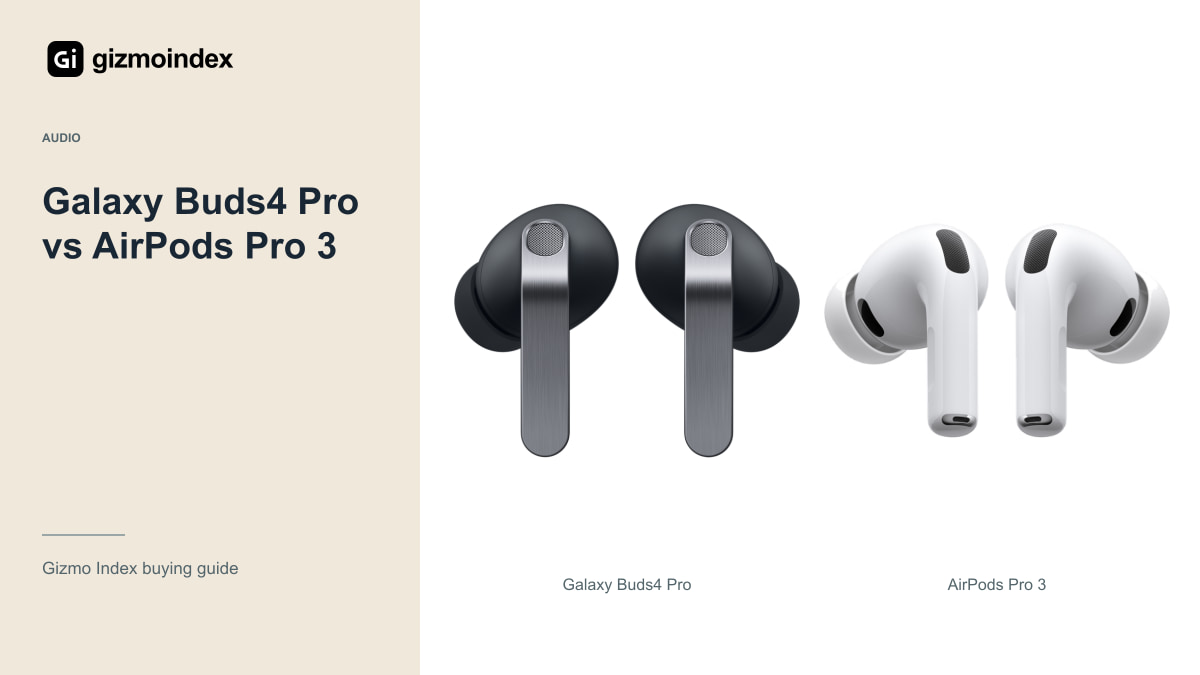
Galaxy Buds4 Pro or AirPods Pro 3? I’d start with the phone in your pocket. Both are premium in-ear options, but their extra features are tied to their own platforms. Paying for tools you can’t use on your phone makes the comparison less attractive very quickly.
I’d begin with the Galaxy Buds for a compatible Samsung setup and the AirPods for an iPhone. After that, comfort, calls and the way you like your music should decide it. Let’s go through the fit, noise control, sound features and battery so the brand name doesn’t do all the choosing.
Galaxy Buds4 Pro
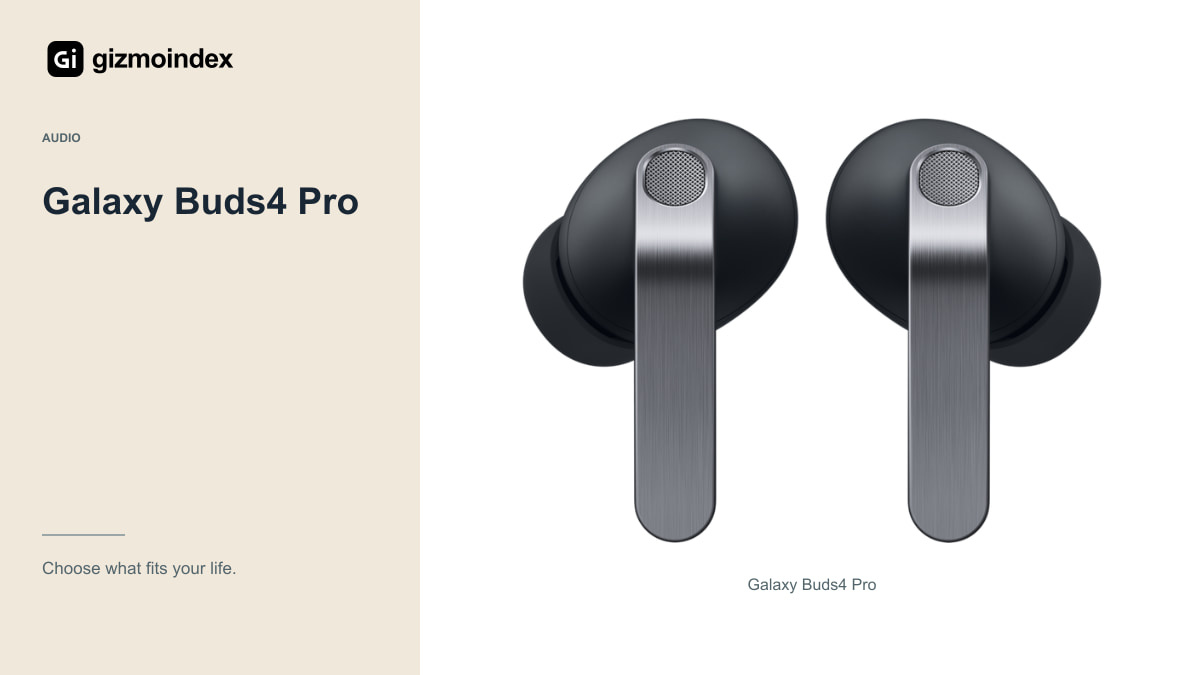
Samsung positions the Buds4 Pro as its premium sealed in-ear option. Its specification page lists an enhanced two-way speaker system, active noise cancellation and ambient listening. Those features make it worth looking at if you want an integrated listening setup with a compatible Samsung phone.
Check the requirements for the Samsung-specific capabilities you want, including audio formats and AI-related functions. A Bluetooth connection by itself doesn’t prove that every advertised feature works on your phone. The model, software version, language and region can all matter for particular functions.
I’d also consider how you change settings on your own device. Pairing is only the first step. You should be able to manage noise modes, controls and updates without borrowing another phone whenever something needs changing. That everyday convenience is part of the value of premium earbuds.
For a long call, I’d care about whether I can understand speech comfortably and whether the other person hears complete words clearly. For music on a commute, noise control becomes more important. I like earbuds that cover both jobs, but I wouldn’t assume a good music experience automatically means a good microphone.
AirPods Pro 3
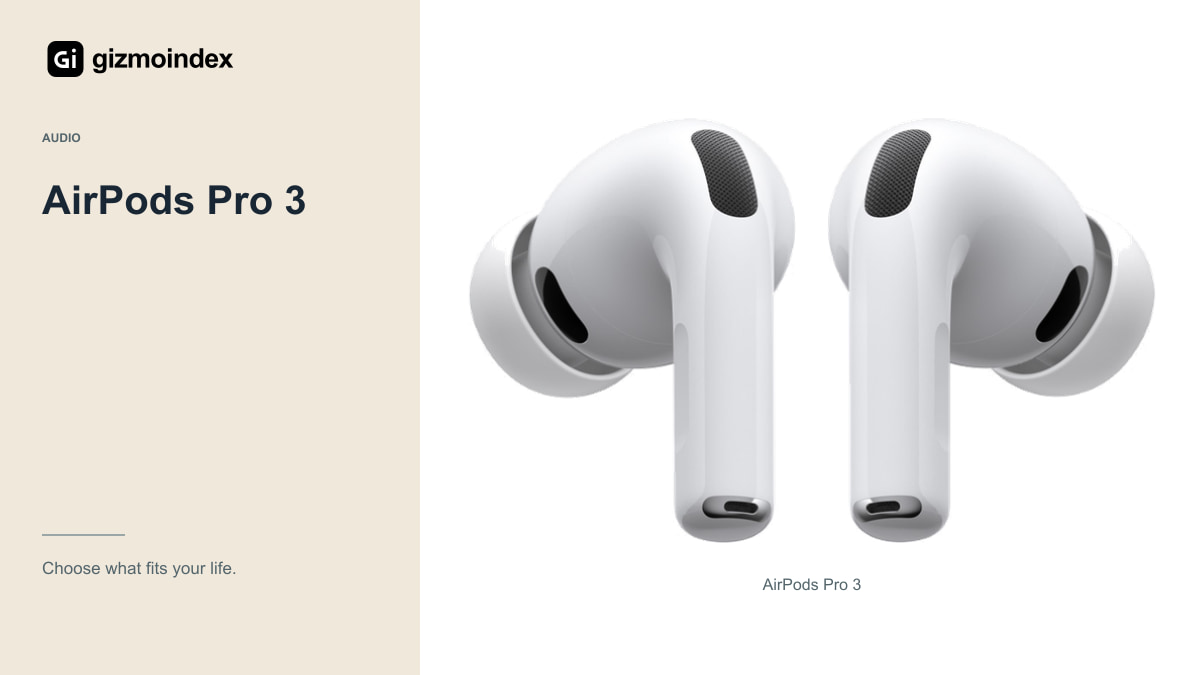
Apple lists its H2 chip, active noise cancellation and five sizes of ear tips for the AirPods Pro 3. The charging case supports USB-C and compatible wireless charging arrangements. They are an obvious model to compare when you want earbuds that fit into an Apple-device routine.
Apple quotes up to eight hours of listening with ANC and up to 24 hours with the charging case under its stated conditions. Those are manufacturer claims, not the result of a battery test here. Calls, settings and the condition of the battery can change what you experience.
Some functions have additional device, software and regional requirements. Check those before buying for a specific translation, hearing or other advertised capability. It’s better to confirm the feature you need than to assume everything shown on a product page works identically for every buyer.
Comfort and fit
A sealed earbud needs a suitable fit to stay comfortable and work as intended. Try the available tip sizes and use the manufacturer’s fit tools where supported. If the earbuds feel painful or keep loosening, a premium feature list won’t make them easier to wear.
Think about your usual session length. A pair that feels fine for a quick demonstration may become irritating after an hour of calls. Where hygiene and store policies permit a trial, take time to check the pressure, stability and access to the controls.
Look for clear return terms if you can’t try them first. Earbuds are unusually personal products because ears differ. I wouldn’t describe one design as universally more comfortable from photographs or dimensions alone, and I wouldn’t choose solely because someone else said it fits perfectly.
ANC and transparency
Active noise cancellation is useful, but it doesn’t remove every sound equally. The seal, surroundings and type of noise all affect the experience. A steady background hum and a nearby person speaking are different challenges, so one brief test can’t settle every situation.
For transparency or ambient listening, check whether speech sounds clear and whether the mode is comfortable in your normal environment. Avoid testing by creating a dangerous situation. You should still follow local rules and use appropriate awareness around traffic or equipment.
If noise control is the reason for upgrading, compare with your current earbuds in familiar conditions during the return period. A meaningful improvement for your commute or office is more valuable than a marketing superlative that never translates into your daily use.
Calls
Record a sample or make a test call from the places you normally work. A quiet bedroom tells you little about a windy street or busy café. Check what the other person hears, not only whether your own voice sounds clear inside your head.
Also test the controls while moving, adjusting your hair or putting on glasses. Accidental touches and awkward gestures can become frustrating during calls. If you frequently switch between a laptop and phone, consider the exact switching behaviour with those devices rather than assuming every ecosystem feature is universal.
I’d avoid declaring a microphone winner without comparable recordings. Manufacturers can list microphones and processing features, but that doesn’t replace a controlled test. Your own work environment is the most useful final check once you have narrowed the shortlist.
Battery and case
Battery figures should be compared in the same mode: ANC on with ANC on, and single-charge listening separately from the total including the case. The case total means you recharge the earbuds between sessions. It isn’t one uninterrupted listening session of that length.
Look at how you’ll charge the case, whether the required cable or charger is included in the particular package and how easily you can carry it. Small practical details matter when the earbuds are something you use every day rather than an occasional accessory.
Before paying, ask about replacement earbuds, replacement cases and local warranty handling. A lost earbud should not turn into a surprise expense you never considered. Buy from a source that can establish authenticity and explain what happens if a fault appears.
Which one I’d buy
I’d choose the Buds4 Pro first for a compatible Galaxy phone and AirPods Pro 3 first for an iPhone. That gives the platform features a chance to be useful. But I’d still want a comfortable fit before paying premium-earbud money.
I wouldn’t declare one the better-sounding pair from the driver description or a feature list. Listen to music you know, make a normal call and try the noise modes in the places you use them. Those are the differences you’ll live with once the comparison is over.
My recommendation is to buy the pair that fits both your ears and your phone. Good noise cancellation and clever features are appealing, but the earbuds still have to be comfortable enough to keep in. If a less expensive model handles your daily listening well, there’s no need to pay for a premium badge alone.