
GTA 6 on PC: Cloud Gaming, Remote Play and Native Release Explained
Understand the difference between GTA 6 cloud streaming, Xbox Remote Play and a native PC release, plus the checks to make before spending money.

Are you waiting to play GTA 6 on your PC and wondering whether cloud gaming could solve the problem? I understand the appeal. Buying another machine for one game is a big decision, especially when you already have a computer you like.
Still, three different ideas keep getting mixed together: a native PC version, streaming from a cloud service, and streaming from your own console. They can all put a game on a computer screen, but they do not give you the same setup. Here is the difference I would understand before paying for anything.
What is confirmed for GTA 6?
Rockstar’s official platform information lists PlayStation 5 and Xbox Series X|S. That page does not announce a native PC edition. A separate report about a possible streaming arrangement is not enough to establish confirmed cloud access, subscription terms or a PC release date.
This article explains the options; it does not confirm that GTA 6 is available through Xbox Cloud Gaming. I would wait for a specific official listing that says the game is cloud playable before building a purchase around that possibility.
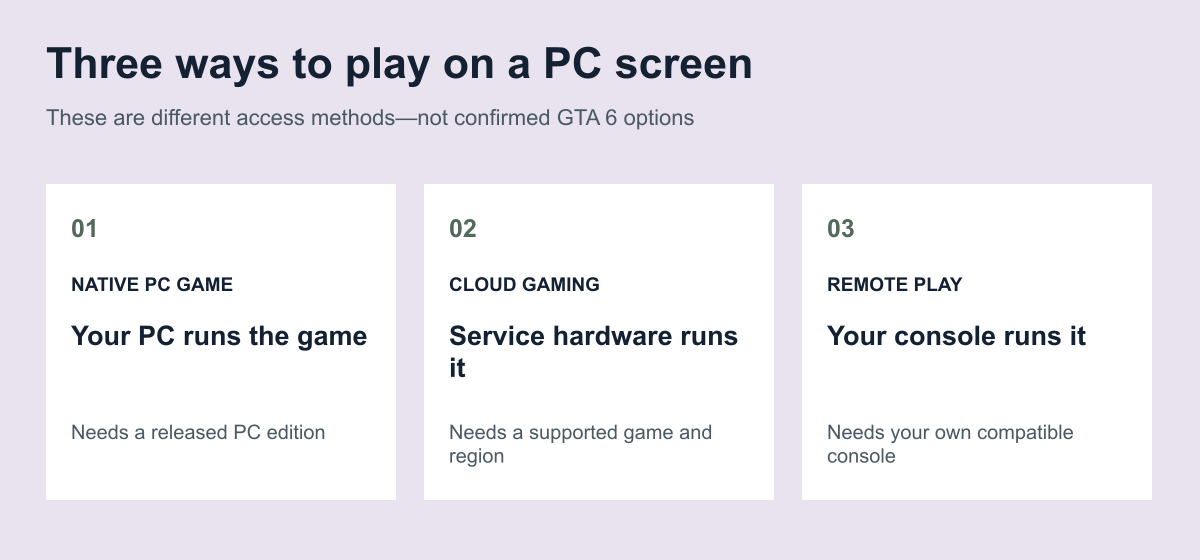
A native PC version runs on your computer
With a native PC game, your computer runs the game software locally. Its processor, graphics hardware and settings become part of the performance equation. You install the relevant PC edition rather than receiving a live video feed of a console game running somewhere else.
That distinction matters when you are thinking about an upgrade. I would not buy a graphics card for GTA 6 based on guessed requirements. Wait for the publisher to announce a PC edition and its requirements, then decide whether your existing machine needs replacing.
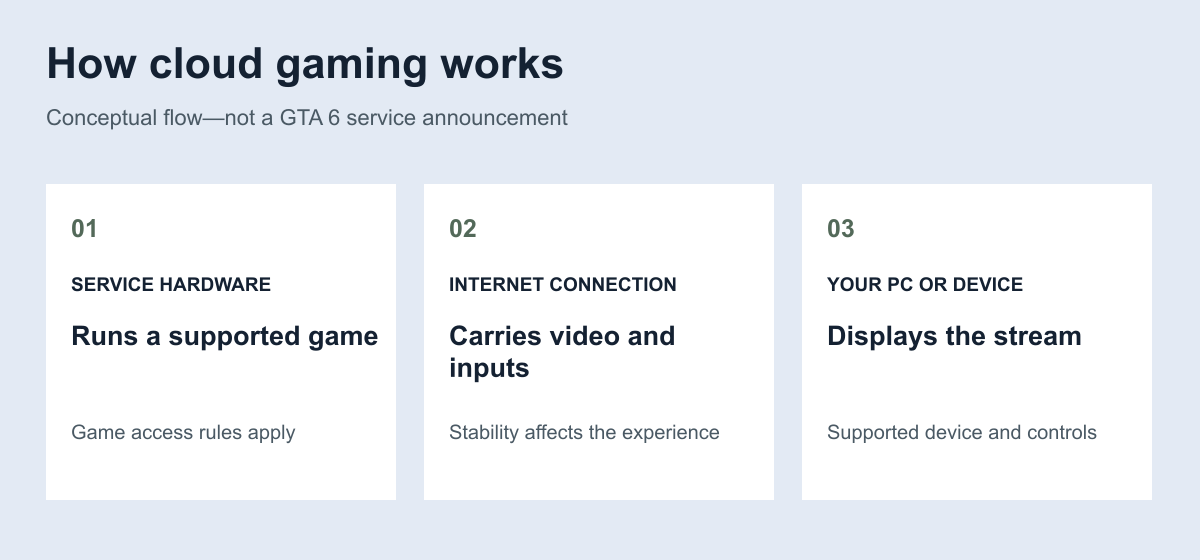
Cloud gaming uses a remote machine
Xbox Cloud Gaming streams supported games to compatible devices in supported regions. Access depends on the game and plan; buying an Xbox game does not make every title cloud playable. Microsoft also lists connection, browser and controller requirements.
The practical attraction is that the game is not being rendered by your laptop’s own graphics hardware. However, I would care just as much about connection stability as download speed. A connection that feels fine for watching buffered videos can still be frustrating when your inputs need an immediate response.
Before committing, test the service with an available game on the network you actually use. Try it at the time of day you normally play. Do not judge the experience from someone else’s fast connection or a five-minute demonstration.
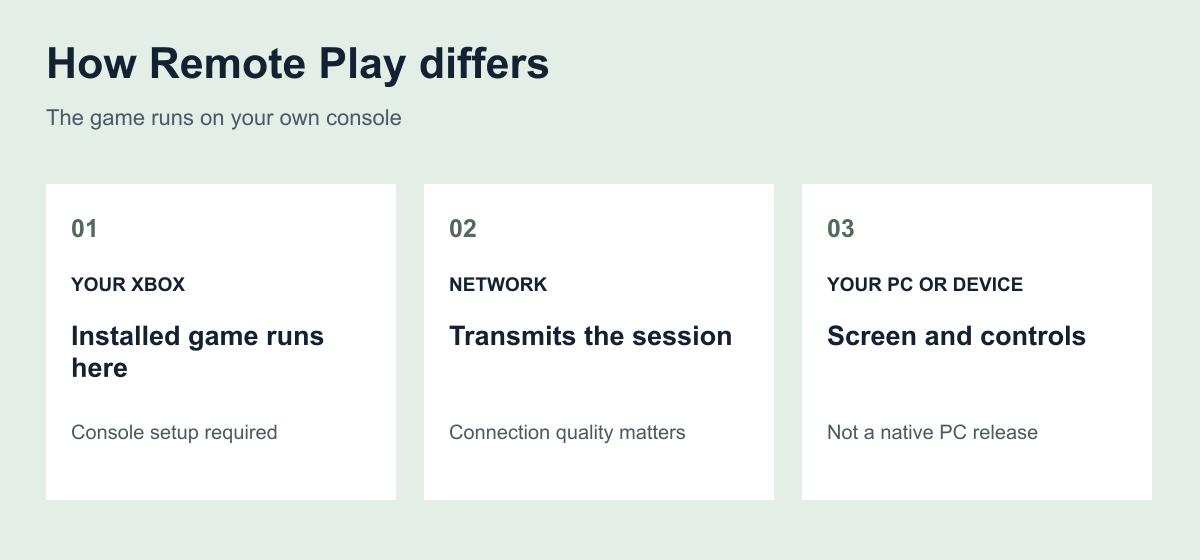
Remote Play is a different route
Xbox Remote Play streams games installed on your own console to supported devices. The console is doing the work; the computer is a screen and input endpoint. It is not a substitute for owning that console.
If you already have an Xbox, this distinction could matter more than a rumoured cloud deal. But I would still check the current setup requirements and game behaviour before assuming a particular title will work exactly as you expect.
The checks I would make before paying
First, confirm the exact game listing and the access method. A console store listing, a PC edition and a cloud-playable listing are different pieces of information. Next, check service availability where you live, the relevant subscription, any separate game purchase and current playtime limits.
Then look at your own connection and budget. Can you stream comfortably without exhausting your data allowance? Does your controller work with your device? If you intend to buy a console anyway, would Remote Play meet your needs more directly?
For readers in Nigeria, do not assume that a service described on a US page is locally supported. Check the current region list before buying a plan for this purpose. I would not recommend paying first and discovering the access restrictions afterwards.
My verdict: wait for the access details, not another rumour
Cloud gaming could be useful for a PC owner who wants to play a supported console game without a local console. Remote Play serves a different buyer: someone who already owns the console. Neither arrangement turns the console release into a native PC edition.
For GTA 6, the sensible move is to keep those categories separate and wait for confirmed access information. I would rather delay a purchase than promise you that a subscription or hardware upgrade will solve a problem the publisher has not yet answered.
Frequently asked questions
Does playing through a browser mean GTA 6 has a PC version?
No. Streaming a console game to a PC screen is different from installing and running a native PC edition.
Does owning the Xbox edition guarantee cloud access?
No. Xbox limits streaming of owned games to supported cloud-playable titles. Check the specific listing.
Do I need an Xbox for Remote Play?
Yes. Xbox Remote Play uses your own console and its installed games. Cloud gaming uses the service’s remote hardware instead.